Explore our Webflow Templates

Connect with Socials:


Explore our Webflow Templates
Connect with Socials:

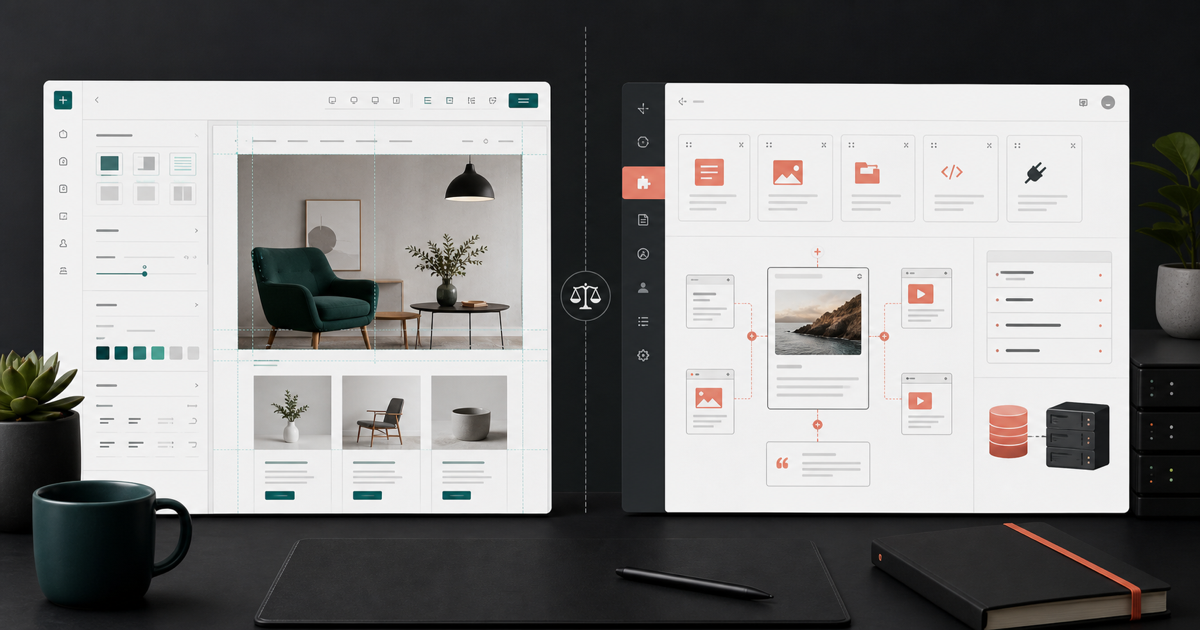
A balanced 2026 comparison of Webflow and WordPress across design control, CMS flexibility, maintenance, security, performance, cost, and team ownership.
| Priority | Webflow is usually stronger | WordPress is usually stronger |
|---|---|---|
| Design-led marketing site | Visual design and publishing in one managed platform | Flexible with a capable theme or custom development team |
| Hosting and maintenance | Managed hosting, SSL, delivery, and platform updates | Choice of host, stack, caching, backup, and maintenance process |
| Extension ecosystem | Curated apps, APIs, and custom code | Very large plugin and theme ecosystem |
| Content operations | Structured CMS for marketing-controlled publishing | Flexible editorial models and mature publishing workflows |
| Custom application logic | Best when kept within platform and integration limits | Broad control through PHP, plugins, APIs, and custom infrastructure |
| Ownership model | Platform subscription with managed infrastructure | Open-source software on hosting you select and administer |
Webflow combines a visual development environment, CMS, publishing workflow, and managed hosting. Its hosting documentation says the platform handles infrastructure concerns such as security patches and SSL provisioning. That reduces the number of vendors and update surfaces a small marketing team must coordinate.
The tradeoff is platform dependency. Site plans, CMS limits, apps, export constraints, and supported functionality shape what you can build and how it is hosted.
WordPress gives teams broad control over hosting, themes, plugins, data, and custom code. That freedom supports a wide range of publishing and application requirements, but it also means someone must own hosting quality, backups, updates, security, compatibility, and incident response.
Managed WordPress hosting can absorb much of this workload. A well-run WordPress site is not inherently slow or insecure; its outcome depends heavily on architecture, plugin discipline, hosting, implementation, and ongoing maintenance.
Webflow provides managed delivery and responsive-image tooling, which can make a disciplined marketing site easier to operate. WordPress can be equally fast with a good host, lean theme, sensible caching, optimized media, and a controlled plugin set, but the team must choose and maintain those parts.
Evaluate real templates or prototypes using field data where available. Google defines Core Web Vitals around loading performance, responsiveness, and visual stability; use those metrics as user-experience diagnostics, not as a one-number platform contest.
Webflow CMS is strongest when content follows clear collection structures and editors should publish without touching layout. Designers can bind one source of content to repeated templates, while teams keep visual rules controlled.
WordPress offers broader editorial patterns, roles, plugins, and integrations. It may suit content-heavy organizations with complex taxonomies, multilingual publishing, established editorial tooling, or workflows already centered on WordPress.
Run a content-model workshop before selecting either platform. List content types, fields, relationships, permissions, localization needs, preview requirements, migration volume, and publishing frequency. The CMS should fit that model rather than forcing the model to fit a demo.
Webflow includes managed hosting and SSL on paid site plans. WordPress documentation recommends keeping core, plugins, and themes current, maintaining backups, and reviewing compatibility. Automatic updates reduce work, but owners still need monitoring and a recovery path.
For either platform, require multi-factor authentication, individual user accounts, least privilege, tested backups, domain registrar protection, and an incident contact. Security is an operating process, not a launch checklist that stays complete forever.
| Cost area | Webflow | WordPress |
|---|---|---|
| Platform or hosting | Workspace, site plan, and relevant add-ons | Hosting, domain services, and infrastructure options |
| Extensions | Apps, integrations, custom code | Themes, plugins, licenses, custom integrations |
| Maintenance | Platform-managed core plus site QA | Core, theme, plugin, server, backup, and compatibility work |
| Team time | Design-system and CMS governance | Publishing plus broader technical administration |
| Change cost | Agency or internal Webflow capability | Developer, agency, or internal WordPress capability |
Webflow provides direct controls for many page-level SEO settings and clean structured templates. WordPress can provide comparable or deeper controls through core features, themes, plugins, and custom development. Neither platform can compensate for thin content, unclear positioning, broken migrations, or weak information architecture.
Google states that its existing SEO best practices remain relevant for AI features such as AI Overviews and AI Mode. Choose the platform your team can operate consistently, then build the content and technical system around clear user questions.
Flowmarc works platform-first, not platform-blind. We use the business model, content operations, growth plan, technical constraints, and team capability to decide whether Webflow is the right foundation and to scope a responsible migration when it is.
Not universally. Webflow is often better for design-led marketing sites that want managed operations; WordPress is often better when open-source control, extensive plugins, or custom server-side functionality is central.
WordPress has more components for an owner to maintain, but a well-managed WordPress stack can be secure. Webflow centralizes hosting and platform patching, while both require strong accounts, access control, and domain security.
It can support substantial structured marketing content, but collection, item, localization, workflow, and integration requirements should be checked against the current plan limits before selection.
Yes. A lean WordPress build on quality hosting can perform very well. Performance depends on implementation, media, scripts, caching, plugins, and ongoing governance.
Both support the fundamentals. The better option is the one your team can use to publish helpful content, preserve technical quality, maintain metadata and structured data, and monitor results consistently.
Complexity depends on URL count, content types, integrations, search, forms, membership, multilingual needs, and custom features. A migration should include an inventory, field mapping, redirects, QA, analytics validation, and monitoring.


Thanks - your message is ready to send. We respond within 24 hours.